
Perhaps the most frustrating thing about shipping anything less than a blockbuster game is the lack of feedback you get on your work. The very best games of any given year will be scrutinized and evaluated by the community of developers, but everything else is pretty much ignored. I was surprised and pleased therefore, when a friend pointed me to an old blog entry by Brian Karis that mentioned the shadows in Fracture. Brian’s entry is only the fourth piece of feedback I’ve received on the technology behind Fracture, and it is the third piece specifically complimenting the shadows. I’m particularly pleased to see praise for Fracture’s shadows, because finding just the right technique for them was a long and difficult process.
The first implementation of global shadows in Fracture was a single, orthographic shadow map fit to the view frustum. This was never intended to be the final solution, but it was quick and easy to implement and it provided a good baseline for measuring the value of other techniques.
Fracture was, at that time, spec’d to have draw distances of about a thousand meters, and we’d only budgeted enough memory and fill rate for a single 1024×1024 shadow map. Fracture was also first person initially, and we wanted convincing self-shadowing on the player’s 3-D hands and weapons. To get the kind of shadow resolution we wanted, we’d have needed a 100k by 100k orthographic shadow map or a 10,000 times increase in our shadow budget.
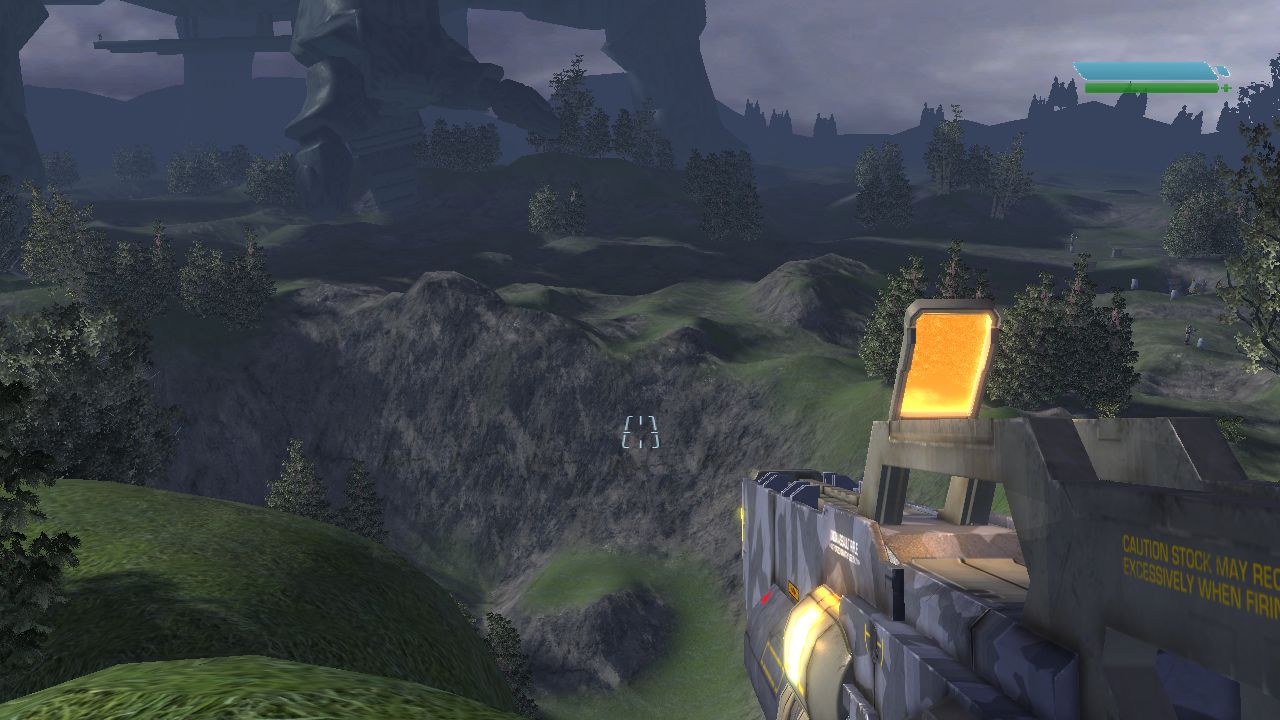
The perspective shadow map at its best.
After the orthographic shadow map, I implemented a form of perspective shadow mapping. Perspective shadow maps distribute resolution non-uniformly across the view frustum by utilizing a perspective projection to warp the shape of the shadow frustum to better fit the view frustum. My implementation of perspective shadow maps was primarily inspired by light-space perspective shadow maps. On the whole I found the perspective shadow map implementation reasonably straightforward, perfectly stable, and very effective at increasing shadow resolution near the player’s camera. With a single 1024×1024 perspective shadow map, the shadows in the immediate vicinity of the player were, in ideal conditions, high enough resolution to provide tolerable coarse shadows on the player’s weapon.
Unfortunately, not all conditions were ideal and there were problems.
Single-pass perspective shadow maps have limited flexibility in how they can redistribute resolution across the view frustum. When the shadow’s light direction is orthogonal to the view direction, the perspective shadow frustum is an almost perfect fit for the view frustum. However, as the shadow direction becomes more aligned with the view direction, perspective shadow maps lose their effectiveness and end up distributing shadow resolution uniformly, just like orthographic shadow maps. Luckily this isn’t as big a problem as it first sounds.
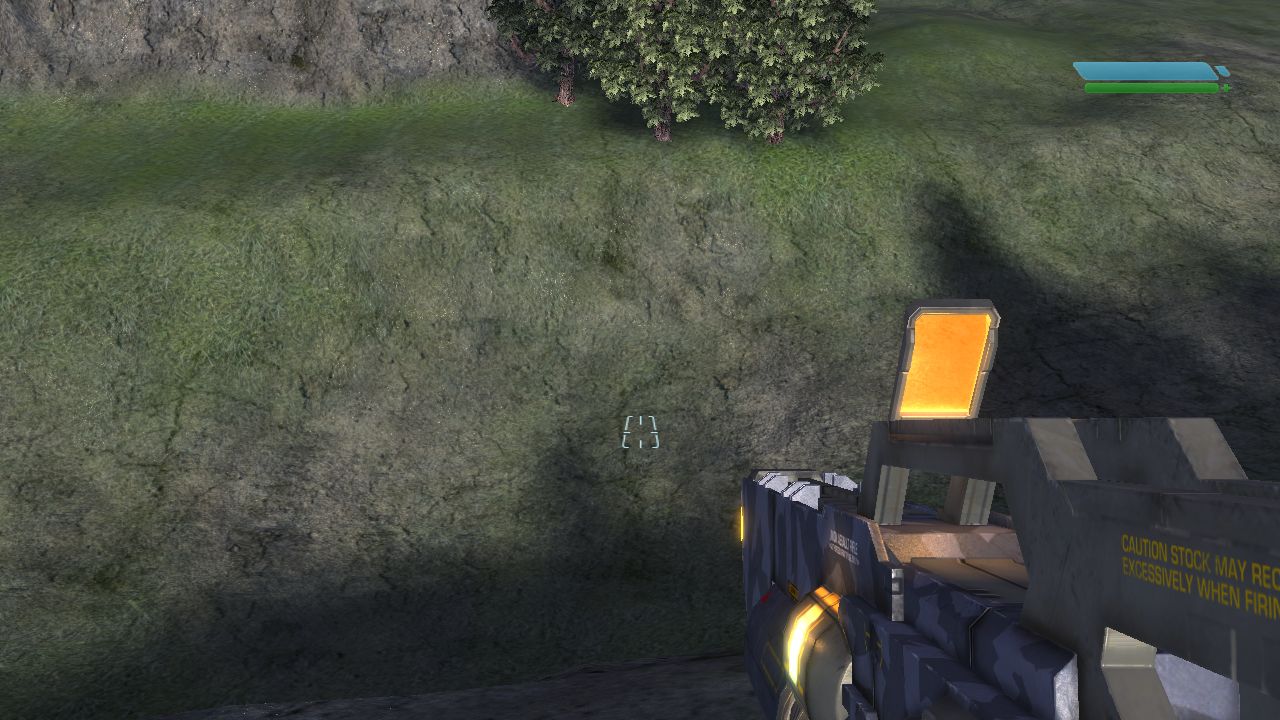
A barely discernable player shadow at a problematic view angle.
When the player camera is looking directly into the light, there aren’t really any visible shadow boundaries. Every visible surface is completely self shadowed, and that effect is handled redundantly by shading and shadowing. When the player is looking directly away from the light, however, he’s generally looking directly at his own shadow and shadow resolution is very important. Luckily there are two common characteristics of game worlds that held true for the prototype levels of Fracture. First, global shadows usually come from above, and second, the player camera is usually situated near the bottom of the world. Given these two constraints, there was an obvious solution to the problem of poor shadow resolution when looking at the player’s feet. Before fitting the shadow frustum to the view frustum, I first clipped the view frustum to the dynamic bounds of the world. When the camera is aligned with the light direction, the shadow frustum dimensions are constrained by the size of the visible camera’s far plane. With the view frustum starting at the player’s head and clipped by the ground just below his feet, the far plane of the view frustum was never more than fifty square meters and even a uniform distribution of resolution was sufficient to provide high quality shadows.
Despite its problems, the single perspective shadow map implementation persisted in Fracture for over a year of development. Unfortunately for me, during that time shadows in competing games continued to improve, and the artists and designers felt more and more constrained by the limitations of perspective shadow maps. The artists wanted to feature dramatic early morning and late afternoon lighting in levels, and the designers wanted to incorporate more vertical gameplay in which the player rained death from above down on enemies fifty meters below. We also had occasional issues in which an errant particle effect or physics object would penetrate the terrain and begin plummeting into the uncharted abyss below, dragging the world bounds and shadow quality along with it. In all of those cases my perspective shadow map implementation was no better than an orthographic shadow map and the shadows deteriorated to little more than dark smudges under large objects.
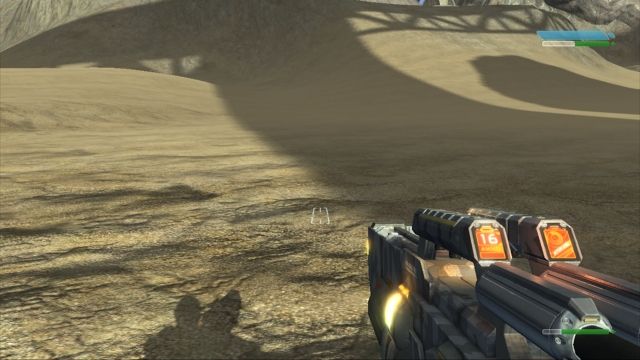
Player shadows were much improved with cascaded PSMs
To address the complaints about the single perspective shadow map approach, my coworker Kyle extended the system to use a cascade of three perspective shadow maps. The cascades were constructed so that each map covered a parallel slice of the view frustum, and the depth of each slice was hand-tuned to optimal effect. The first cascade covered only 4 meters, the next one 100 meters, and the final one fit the entire remaining portion of the view frustum which was still over a thousand meters. Each of the three maps was the same dimensions as the original shadow map, so memory and rendering costs tripled. However, the results were inarguably worth it. In all the cases where the quality of the single perspective shadow map suffered, the cascaded approach maintained high-resolution shadows in the immediate vicinity of the player. Shadows in the mid-distance (the second cascade) also received a moderate bump in resolution compared to the single map approach. Unfortunately shadows in the last cascade weren’t noticeably improved. The costs of this system were quite high, but nevertheless the artists and designers were appeased and development rolled on for another six months.
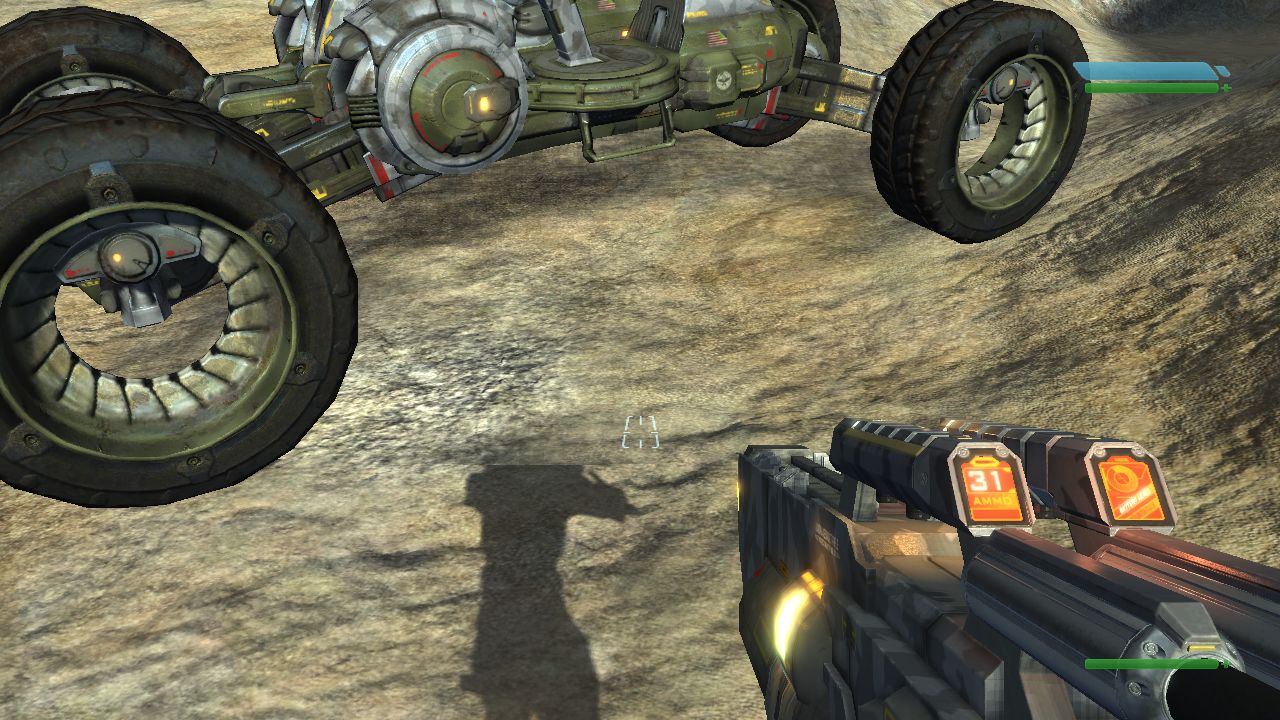
From the wrong camera angle, the sharp drop in cascade resolution decapitated the player shadow.
After six months with cascaded perspective shadow maps, the development team once again began to have second thoughts. The biggest complaint about the cascaded solution was the boundary between cascades. In problem areas the drop in resolution between the first and second cascades was dramatic. If the player managed to position himself so that the cascade boundary lay across his own shadow, the effect was really unsightly. In some cases the drop in resolution between the shadow of the player’s body and the shadow of the player’s head was so great that the player looked decapitated in his shadow.
From my perspective, there were three additional issues with our shadows. With the expansion to three cascaded shadow maps, shadows were now fantastically over budget. Also, in the middle and far distance where shadow resolution still struggled, the constant shimmering and crawling of the shadows as the camera moved really bothered me. Lastly, the irregularly shaped shadow frustum from the perspective shadow maps made it impossible to get good results from a constant shadow bias. Again in areas where shadow resolution struggled, the shadow bias was unpredictable resulting in inconsistent, but almost always excessive, “peter-panning.”
In the fall of 2007 I embarked on a final rewrite of global shadows for Fracture. To improve performance, I replaced the three independent shadow maps in the cascaded solution with three square regions allocated out of a single texture. I then replaced the shader code for sampling the three shadow maps with a new shader that calculated the UVs appropriate to the desired cascade and only performed a single (filtered) sample from the map. What I had learned from our experience with cascaded shadow maps was that fitting the view frustum with multiple shadow frusta is a far more effective way of increasing shadow map resolution than trying to warp a single shadow map.
Since the performance of my new shader scaled very gracefully with the number of shadow maps, I was able to simultaneously increase the effective shadow map resolution and decrease runtime performance and memory costs by increasing the number of cascades to five. The three 1024×1024 shadow maps were replaced with five 640×640 regions in a single map.
More cascades easily compensated for the switch to uniform shadow maps.
As the number of cascades increased, the value of the perspective transformation in the shadow frusta decreased. Meanwhile I was still frustrated with the shimmering and inconsistent shadow bias associated with perspective shadow maps. I finally made the difficult decision to abandon the perspective shadow map and use traditional orthographic projections for the cascades. This created a few new optimization opportunities in the shader, but more importantly it allowed me to make the shadows from static objects completely stable despite a moving camera and dynamic world bounds. I fit the orthographic shadow frusta to the cascading slices of the view frustum, but I required that the shadow frusta be world axis aligned and I quantized their positions so that as a shadow map moved through the world, its pixel centers always landed in the same place. I also had to quantize the shadow frusta’s near and far planes, though in a much coarser fashion, to ensure consistent depth for an object in the shadow map. This was necessary to guarantee 100% stability in the shadow map when using floating point depth formats.
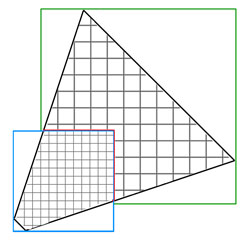
An aligned cascade boundary, highlighted in red, cuts at odd angles across the view frustum.
Interestingly, clearing the shadows of shimmering and crawling created a new problem that I had to deal with. The uniform distribution of resolution within a cascade and the perfectly stable static shadows made the transitions between cascades really obvious. Whereas previously the general instability of the shadows helped hide the cascade boundaries sliding through the world, now there was a very clear resolution boundary. The fact that the cascades were aligned to the world axes and not the view direction contributed to this problem as well. I always sampled shadows from the highest resolution map available, which meant the cascade boundaries shifted depending on the orientation of the camera. When the camera was looking diagonally between two world axes, the cascade boundaries were at corners of the shadow maps rather than straight edges.
I was 50% over our original budget for shadows, but the new approach was half the cost of what we’d been living with for six months so I felt justified in sacrificing a bit more performance. I expanded each cascade slightly to create an overlap, and I extended the shader to blend between two cascades at the boundaries. On platforms with good pixel shader dynamic branching this only increased costs by about 15%. On less capable platforms the dynamic branching was omitted and the cost of applying shadows grew by 40% to twice our original budget. I also introduced a maximum range for the lowest resolution cascade at this point and faded shadows away completely beyond that distance. This fit conveniently within the blending code I’d already added to the shader, and it saved us from wasting shadow resolution on the rarely visible back half of a 1500 meter view frustum. As I recall, Fracture shipped with between a 250 and 350 meter shadow range depending on the level.
I also at this time pursued an avenue that turned out not to be fruitful. Much of the cost of applying the cascaded shadow maps came from the filtering I was doing in the shader. I was using an 8 tap, Poisson disk filter, which I felt was the best compromise between cost and quality. I decided to try out variance shadow maps instead. I have seen benefits from variance shadow maps in some situations, but in the case of global cascaded shadows the technique didn’t pan out. Variance shadow maps are more expensive to create because they generally can’t take advantage of depth-only rendering, and they either suffer from precision artifacts or they require more memory. They also incur a cost in prefiltering. All of these costs are expected to be made up for by significantly more efficient application of the shadow maps. In my case this simply wasn’t true. Even the best global shadow maps have pretty poor pixel coverage, so fully prefiltering the variance shadow maps is wasteful. I tried several approaches to optimize the variance shadow map technique, but in the end the performance was only equal to my non-variance implementation and the artifacts from the variance approach outweighed the improved softness of the shadows.
The last change I made for Fracture’s shadows was to replace the manually specified transition and cascade sizes with ones automatically computed to preserve constant screen-space shadow resolution between cascades. For any given scene I found that hand-tuned values could produce slightly more appealing results, but since we had many varying FOVs and shadow ranges, I didn’t feel justified in forcing the artists to manually specify every value.
One of the fun things about the work I put into the shadows in Fracture is that very few of the techniques I experimented with were mutually exclusive. I was able to, at one point, run through our levels toggling the shadows from perspective to orthographic, variance to non-variance, PCF to Poisson disk, and simultaneously varying the number, size, and resolution of the cascades. I also implemented debug visualization modes to show the outline of shadow texels in the world rather than the shadows themselves. Doing this, the value and cost of the various techniques became rapidly apparent. Perspective shadow maps were great, but I could always get better quality and lower costs by increasing the number of cascades. Prefiltering with variance shadow maps was great, but a fairly expensive filter during sampling was better looking for the same cost. The optimal number and size of cascades actually varied slightly depending on the target platform. Although I said we used five cascades at 640×640, that was only on the Xbox 360. On the PS3 the sweet spot for performance turned out to be distributing slightly more memory across three higher-resolution cascades.

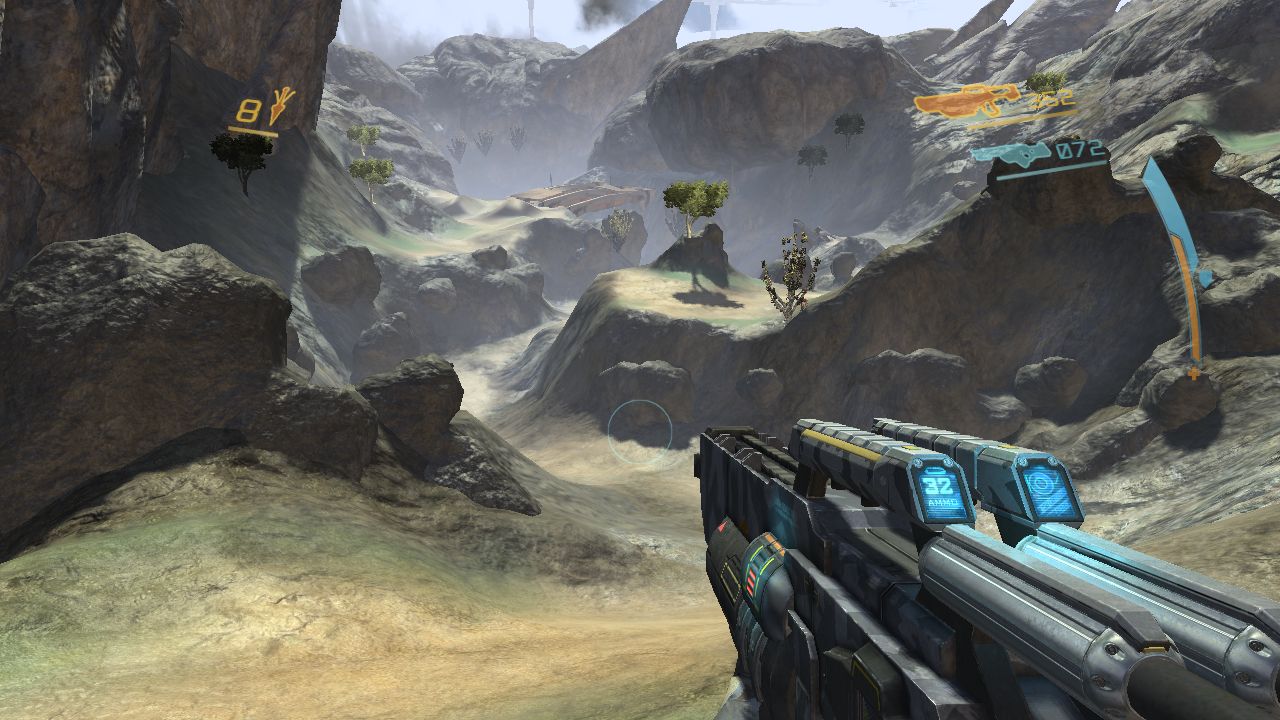
The uniform shadow maps provided plenty of resolution even in worst-case scenarios.
That pretty much covers the implementation of global shadows that Fracture shipped with. It survived about two years with few complaints and reasonable performance. Since Fracture I’ve made a few more improvements, though mostly in the realm of optimizations. The most valuable optimization, and the only one I’ll mention here, was culling the contents of each cascade more aggressively. Although each cascade must be an orthogonal frustum from the perspective of the GPU, a much smaller volume can be defined on the CPU that covers all the shadow casters relevant to a particular map. The volume I use for culling each map is constructed by finding the intersection of the view frustum extruded in the direction of the light and the original orthogonal shadow frustum and then subtracting the volume of all the higher resolution maps. The result isn’t a convex shape, but it can be decomposed into an inclusive and an exclusive convex volume for fast object intersection queries.
In real-world data, more aggressive culling of the cascades reduced the number of objects rendered into the global shadow map by between 30 and 75 percent depending on the orientation of the camera relative to the light. The nice thing about this reduction is that it starts at the object level and consequently translates directly into CPU and GPU savings.
I’m pretty confident now that I won’t be revisiting global shadows again in this hardware generation. I’m completely satisfied with both the cost and the quality of our current solution, and I don’t feel there is much improvement to be had without introducing a new computation model. With any luck, the next time I’m thinking about global shadows it will be in the context of compute shaders and perhaps even non-rasterization based techniques.